Solid State Drives (SSDs) have become the preferred storage solution for both personal computers and enterprise servers. However, not all SSDs are built the same. Many businesses make the mistake of assuming that a consumer SSD can deliver the same performance and reliability as a server SSD. In reality, there are significant differences between the two.
Understanding these differences is essential for IT managers, data center operators, and businesses looking to build reliable server infrastructure. This guide explains how server SSDs differ from consumer SSDs and why choosing the right type of storage matters.
What is a Server SSD?
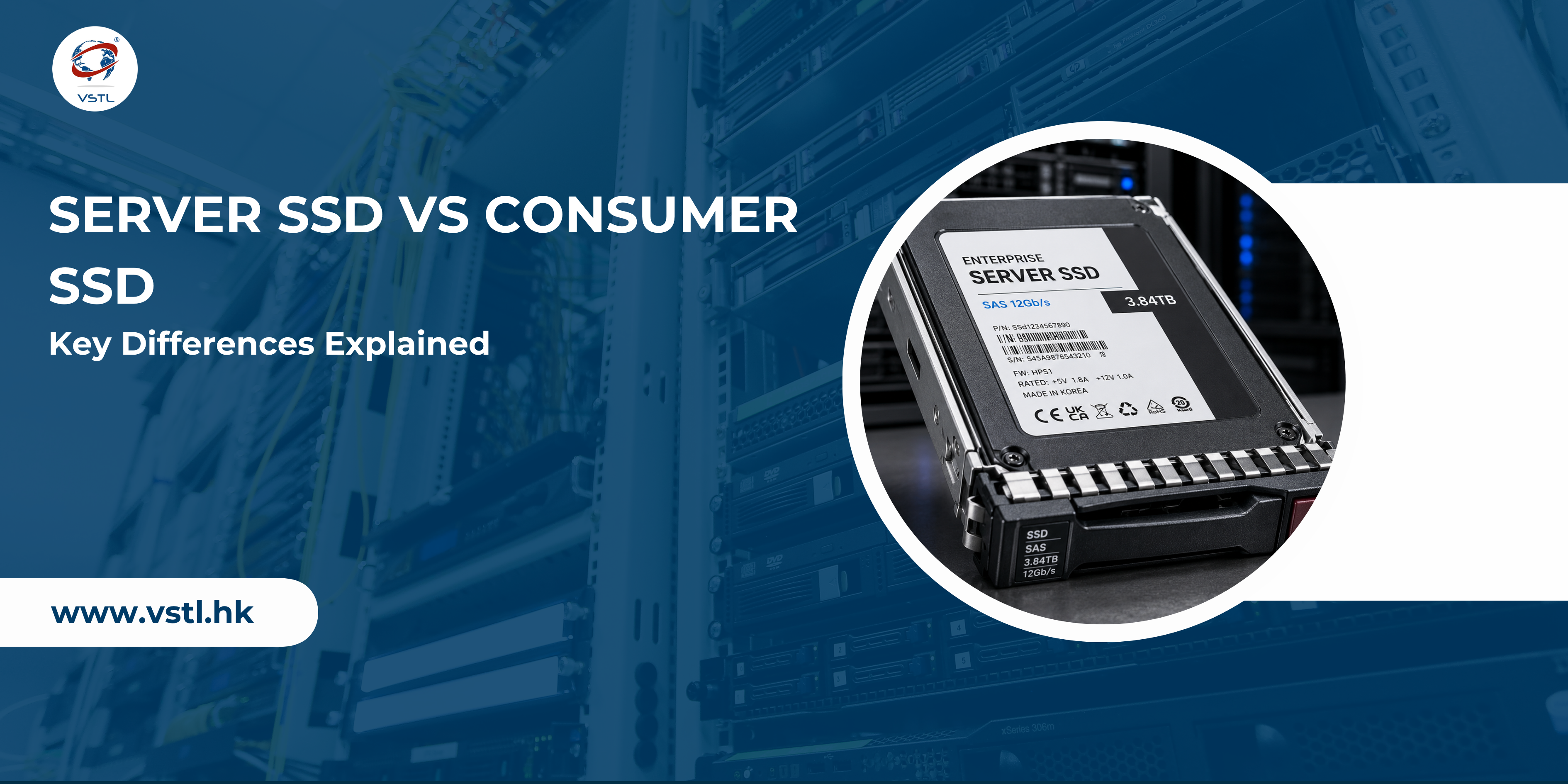
A Server SSD, also known as an Enterprise SSD, is designed specifically for data centers, servers, cloud environments, virtualization platforms, and enterprise applications. These SSDs are engineered to handle continuous workloads, high transaction volumes, and demanding operating conditions.
Server SSDs prioritize:
- High endurance
- Consistent performance
- Data protection
- Reliability
- Long operational life
They are commonly available in SATA, SAS, and NVMe interfaces.
What is a Consumer SSD?
Consumer SSDs are designed for personal computers, laptops, gaming systems, and everyday users. Their primary focus is delivering fast boot times, quick application loading, and improved system responsiveness.
Consumer SSDs are optimized for:
- Light to moderate workloads
- Home and office use
- Cost efficiency
- Occasional data writing
While they perform well in personal devices, they are not designed for the demanding workloads found in enterprise environments.
Server SSD vs Consumer SSD: Major Differences
1. Endurance and Lifespan
One of the biggest differences between server SSDs and consumer SSDs is endurance.
Server SSDs are built to withstand constant reading and writing of data. They are rated with higher Drive Writes Per Day (DWPD) values and Total Bytes Written (TBW) capacities.
Consumer SSDs typically experience lighter workloads and therefore have lower endurance ratings.
For example:
- Enterprise SSD: 3–10 DWPD
- Consumer SSD: 0.2–0.8 DWPD
This means a server SSD can handle significantly more data writes throughout its lifespan.
2. Performance Consistency
Consumer SSDs may offer impressive benchmark speeds during short bursts of activity. However, performance often drops during sustained workloads.
Server SSDs are designed to deliver consistent performance 24/7, even under heavy load.
This consistency is critical for:
- Database servers
- Virtual machines
- Cloud computing
- Enterprise applications
- Financial systems
Stable performance helps prevent bottlenecks and ensures reliable application response times.
3. Reliability and Uptime
Downtime can be costly for businesses.
Server SSDs include advanced reliability features such as:
- Power loss protection
- Enhanced error correction
- Data path protection
- Advanced wear leveling
These features help protect data and maintain uptime during unexpected events.
Consumer SSDs generally offer fewer enterprise-grade protection mechanisms because they are intended for personal use.
4. Power Loss Protection
A sudden power outage can result in data corruption.
Most enterprise SSDs include capacitors that allow the drive to complete pending write operations during a power interruption.
This feature is known as Power Loss Protection (PLP).
Consumer SSDs rarely include full PLP functionality, making them less suitable for mission-critical environments.
5. Error Correction Capabilities
Data integrity is crucial in enterprise environments.
Server SSDs use advanced Error Correction Code (ECC) technologies to detect and repair data errors before they affect applications.
Consumer SSDs also include error correction, but enterprise drives typically provide much stronger protection against data corruption.
6. Workload Optimization
Server SSDs are optimized for specific enterprise workloads, including:
- Read-intensive applications
- Mixed-use workloads
- Write-intensive environments
This specialization allows organizations to select SSDs that match their workload requirements.
Consumer SSDs are designed for general-purpose computing and cannot efficiently handle enterprise-level workloads.
7. Interface Options
Enterprise SSDs support multiple interfaces:
- SATA SSD
- SAS SSD
- NVMe SSD
Consumer SSDs primarily use:
- SATA
- M.2 NVMe
SAS SSDs remain a popular choice in enterprise environments because they provide dual-port functionality, enhanced reliability, and easier integration with existing server infrastructure.
8. Capacity Options
Modern server SSDs are available in much larger capacities than many consumer models.
Enterprise deployments often require:
- 3.84TB SSDs
- 7.68TB SSDs
- 15.36TB SSDs
- 30TB+ SSDs
These high-capacity drives help reduce storage footprint and simplify management.
9. Cost Difference
Server SSDs are generally more expensive than consumer SSDs.
The higher cost reflects:
- Better endurance
- Enhanced reliability
- Advanced firmware
- Enterprise-grade components
- Data protection features
While the upfront investment is greater, server SSDs often provide a lower total cost of ownership over time because they last longer and reduce downtime risks.
Why Businesses Choose Server SSDs
Organizations running critical applications require storage solutions that can perform reliably around the clock.
Server SSDs are commonly used in:
- Data centers
- Cloud platforms
- Enterprise databases
- Virtualization environments
- Web hosting servers
- Artificial intelligence workloads
Their ability to maintain performance under heavy load makes them the preferred choice for enterprise infrastructure.
Interestingly, the growing global demand for enterprise storage has also increased activity in the secondary IT hardware market. Companies such as Value Smart Trading are involved in supplying bulk enterprise hardware components, including server SSDs, to businesses, system integrators, and IT resellers worldwide. This reflects the broader demand for enterprise-grade storage solutions across different markets.
When Should You Use a Consumer SSD?
Consumer SSDs remain an excellent choice for:
- Personal computers
- Home offices
- Gaming systems
- Student laptops
- Everyday productivity tasks
For these workloads, consumer SSDs offer an excellent balance of speed and affordability.
When Should You Use a Server SSD?
A server SSD is the better choice when:
- Systems run 24/7
- High uptime is required
- Data integrity is critical
- Applications generate heavy workloads
- Large-scale virtualization is used
- Enterprise databases are involved
In these environments, the additional investment in enterprise storage delivers long-term reliability and performance benefits.
Final Thoughts
Although server SSDs and consumer SSDs may look similar, they serve very different purposes. Consumer SSDs are ideal for everyday computing, while server SSDs are engineered for enterprise workloads that demand maximum reliability, endurance, and performance.
Businesses should carefully evaluate workload requirements before selecting storage hardware. Choosing the right SSD can improve system performance, reduce downtime, protect critical data, and extend infrastructure lifespan.
For organizations operating servers, data centers, or enterprise applications, server SSDs remain the most dependable choice for long-term storage performance.