
Video streaming has become one of the most demanding applications for modern IT infrastructure. Whether you operate a video-on-demand platform, IPTV service, online learning portal, media hosting platform, or live streaming network, storage performance directly impacts viewer experience.
Traditional hard drives can struggle to keep up with growing video consumption. This is why many streaming providers are upgrading to enterprise SSD storage.
This guide explains the SSD storage requirements for video streaming servers and how businesses can choose the right storage architecture for optimal performance.
Why Storage Matters in Video Streaming
Every time a viewer clicks play, the server must quickly retrieve and deliver video files without delays.
Poor storage performance can lead to:
- Buffering issues
- Slow video loading
- Interrupted playback
- Reduced viewer satisfaction
- Higher server latency
A high-performance SSD infrastructure helps ensure smooth video delivery, even during peak traffic periods.
Key SSD Requirements for Video Streaming Servers
1. High Read Performance
Most video streaming platforms are read-intensive environments.
A single video file may be accessed simultaneously by hundreds or thousands of viewers.
Enterprise SSDs provide:
- Faster file retrieval
- Lower latency
- Higher throughput
- Better concurrent user handling
For streaming workloads, read performance is often more important than write performance.
2. Storage Capacity Planning
Capacity requirements depend on:
- Video resolution
- Number of videos
- Retention period
- Viewer demand
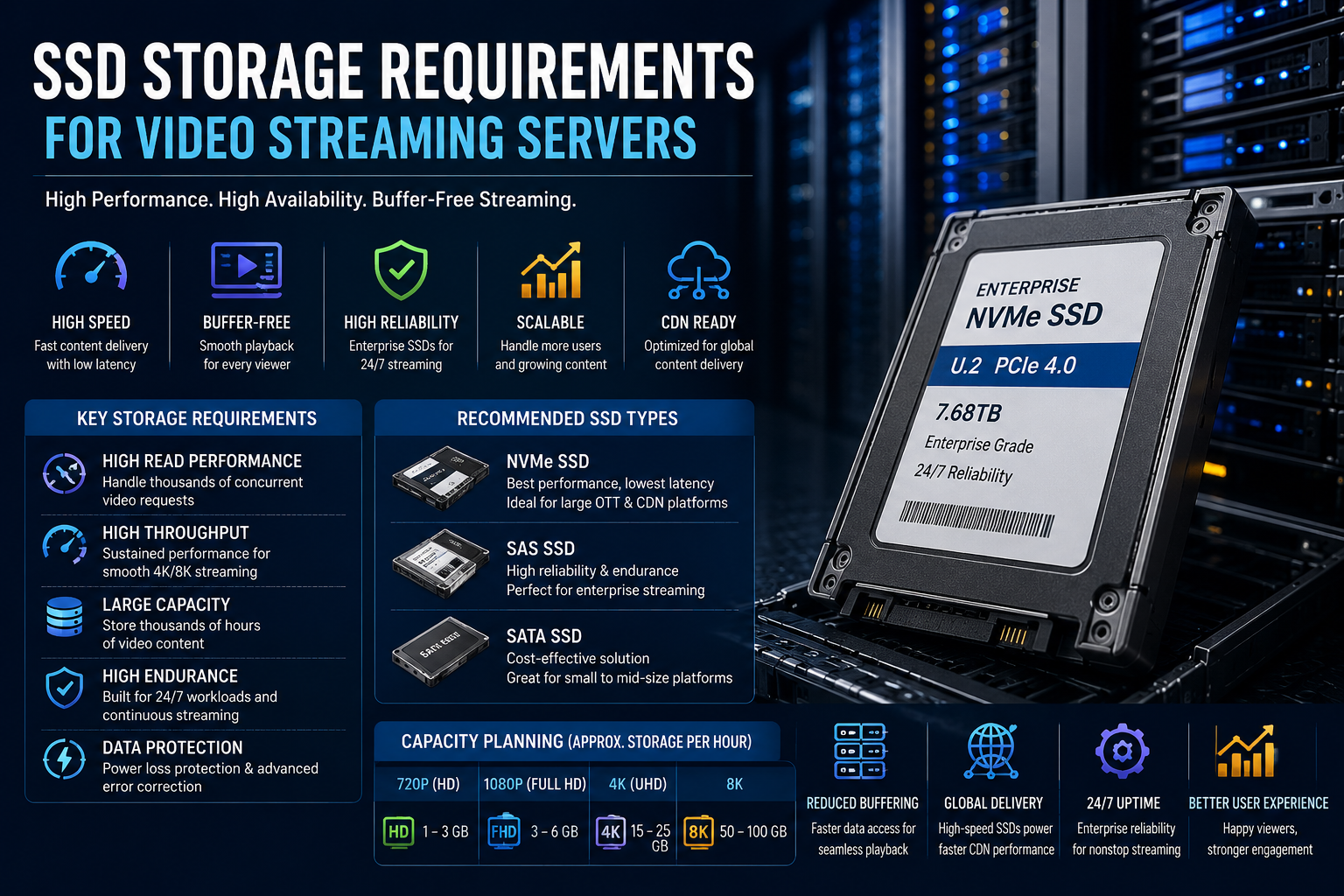
Approximate storage consumption:
| Video Quality | Storage Per Hour |
|---|---|
| 720p HD | 1-3 GB |
| 1080p Full HD | 3-6 GB |
| 4K UHD | 15-25 GB |
| 8K Video | 50-100 GB |
A platform hosting thousands of videos can quickly require tens or even hundreds of terabytes of storage.
Many streaming providers deploy enterprise SSDs in capacities such as:
- 3.84TB
- 7.68TB
- 15.36TB
- 30.72TB
3. High Throughput
Video streaming workloads require sustained throughput rather than short bursts of speed.
Important metrics include:
- Sequential read speed
- Bandwidth capacity
- Network throughput compatibility
Recommended SSD types:
- NVMe SSDs for large-scale platforms
- SAS SSDs for enterprise streaming environments
- SATA SSDs for smaller deployments
4. Low Latency Delivery
Latency directly affects startup time.
Modern enterprise NVMe SSDs deliver latency measured in microseconds rather than milliseconds.
Benefits include:
- Faster video loading
- Reduced buffering
- Improved user experience
- Better handling of peak traffic
5. Endurance for Continuous Operation
Streaming platforms often run 24/7.
The storage system must handle:
- Constant content uploads
- Video processing
- Caching
- Metadata updates
- Viewer requests
Enterprise SSDs offer significantly higher endurance than consumer SSDs and are designed for continuous workloads.
NVMe vs SATA SSD for Video Streaming
NVMe SSD
Advantages:
- Highest throughput
- Lowest latency
- Best scalability
- Ideal for large streaming services
Best suited for:
- OTT platforms
- Video-on-demand providers
- Large media companies
- Cloud streaming infrastructure
SATA SSD
Advantages:
- Lower cost
- Easy deployment
- Good read performance
Best suited for:
- Small streaming platforms
- Internal media servers
- Educational portals
Importance of SSD Caching
Many streaming architectures use SSD caching to improve performance.
Benefits include:
- Faster content delivery
- Reduced server load
- Better handling of viral content
- Improved viewer experience
Frequently accessed videos can be stored on high-speed SSD tiers while older content remains on lower-cost storage.
RAID Configuration Recommendations
For enterprise streaming servers, RAID remains important.
Popular options include:
RAID 10
- High performance
- Excellent redundancy
- Ideal for critical streaming workloads
RAID 5
- Better storage efficiency
- Moderate fault tolerance
RAID 6
- Enhanced protection
- Suitable for large storage arrays
SSD-based RAID configurations help maintain service availability during drive failures.
Power Loss Protection Matters
Enterprise SSDs often include power-loss protection technology.
This feature helps prevent:
- Data corruption
- Metadata loss
- Interrupted write operations
For streaming businesses that operate around the clock, this added reliability is highly valuable.
Enterprise SSDs for Content Delivery Networks (CDNs)
Content Delivery Networks rely heavily on SSD performance.
Benefits include:
- Faster edge content delivery
- Lower response times
- Reduced network congestion
- Better global streaming performance
Many CDN providers use enterprise NVMe SSDs to serve popular content from edge locations.
Industry Trend Toward Enterprise SSD Storage
As video quality continues to improve and viewers increasingly expect instant playback, demand for enterprise SSD storage continues to grow.
This trend has also increased global demand for bulk enterprise storage hardware. Companies such as Value Smart Trading supply server SSDs to system integrators, data centers, and IT resellers that support large-scale infrastructure deployments. The growing use of enterprise SSDs in streaming environments reflects the broader shift toward high-performance storage solutions.
Best SSD Type for Different Streaming Environments
| Environment | Recommended SSD |
|---|---|
| Small Media Server | SATA SSD |
| Corporate Video Portal | SATA or SAS SSD |
| IPTV Platform | SAS SSD |
| Video-On-Demand Service | NVMe SSD |
| CDN Infrastructure | NVMe SSD |
| Large OTT Platform | Enterprise NVMe SSD |
Conclusion
Video streaming servers require storage systems that can deliver high throughput, low latency, and reliable performance around the clock. While traditional HDDs may still be used for archival storage, enterprise SSDs have become the preferred choice for active streaming workloads.
Organizations planning streaming infrastructure should focus on capacity, endurance, throughput, and scalability when selecting SSDs. The right enterprise SSD deployment can significantly improve viewer experience, reduce buffering, and support future growth as video consumption continues to rise.